
Every part, in its place.
Build slides, add lyrics and arrange sections. Reuse presentations and keep your songs close in Playlists.
SlidesLyricsPlaylists
Prepare slides, Scripture and media. Organize your service.
Keep your whole team on the same page.
Just presenting? Download the free desktop app
Ready for the moment.
From the first slide
to the final amen.
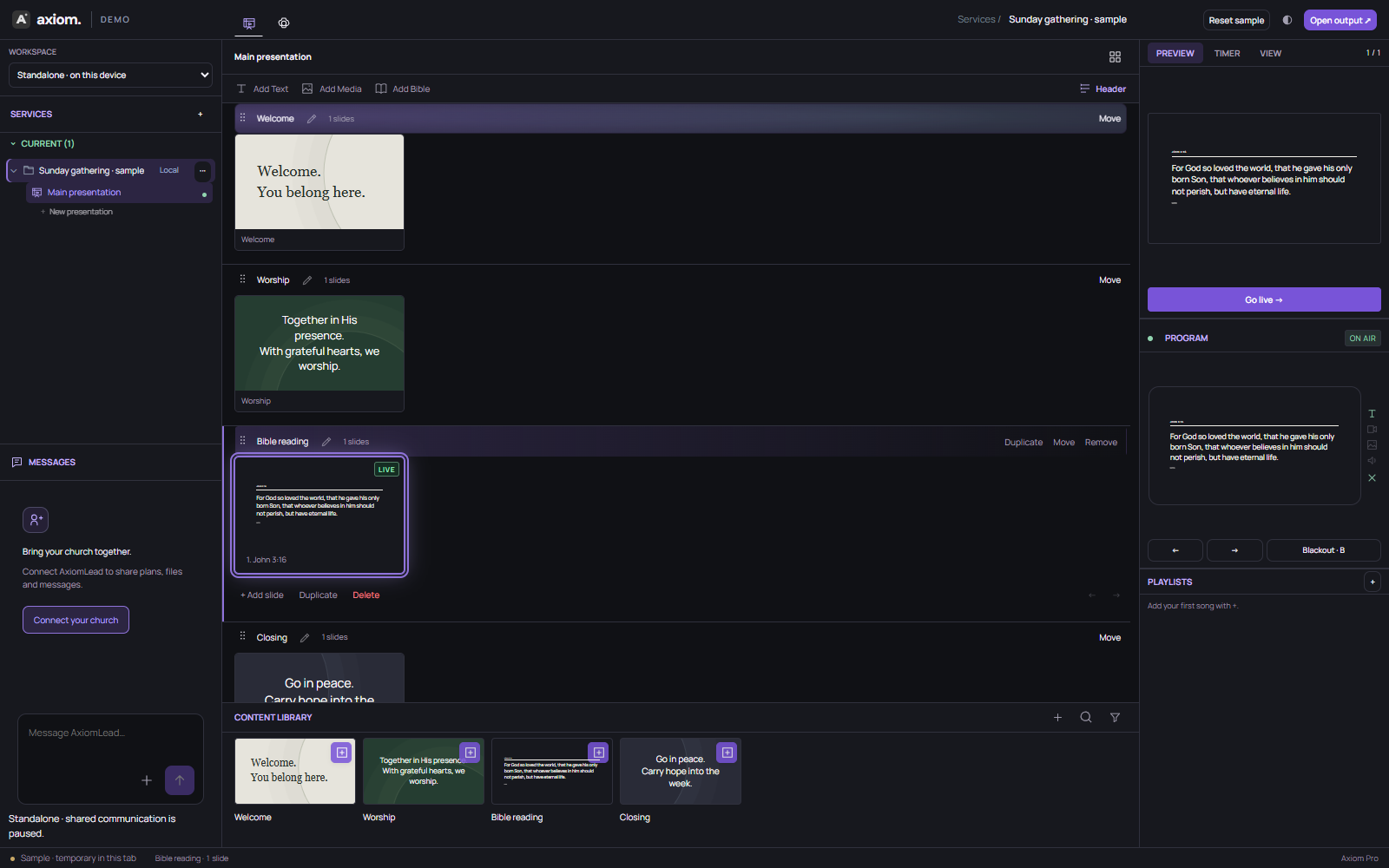
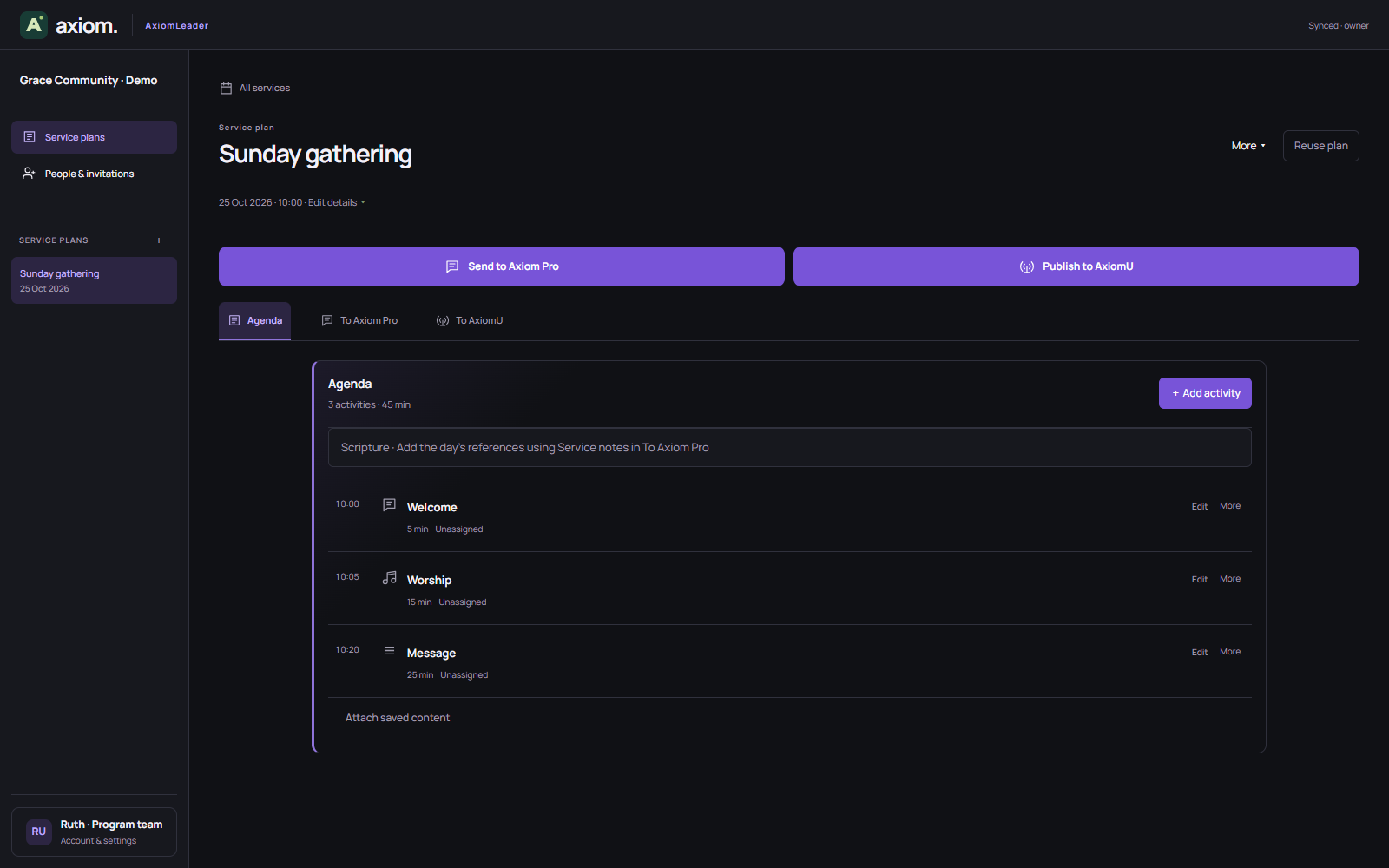
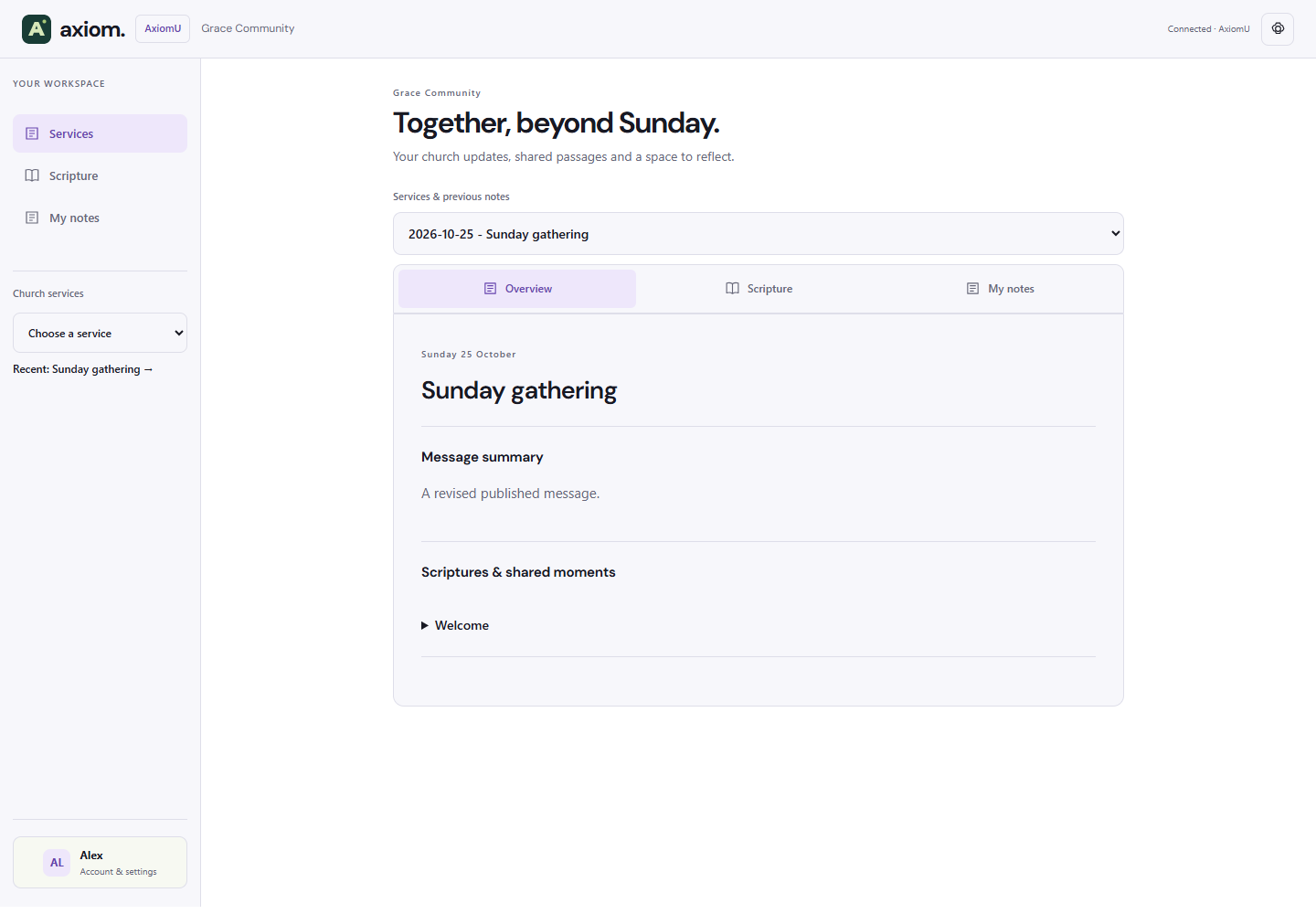
Axiom Pro · Prepare in the centre. Preview what’s next. Keep Program in view.
Explore it yourselfFree standalone desktop app
Local media & offline Bibles
Church teamwork when you need it
One place to prepare your content and control the screen. Familiar tools, with room for the way your church works.
Build slides, add lyrics and arrange sections. Reuse presentations and keep your songs close in Playlists.
Use your images and videos. Import PDF and PowerPoint pages as slides, ready to arrange and present.
Review in Preview, then send to Program. Choose direct presentation when you prefer, with your service timer nearby.
Find a verse or search by words. Add Scripture as readable, thoughtfully spaced slides with clear references.
A clear reference. A considered type scale. Space around the passage. New Bible slides keep the message at the centre.
Try a Bible passage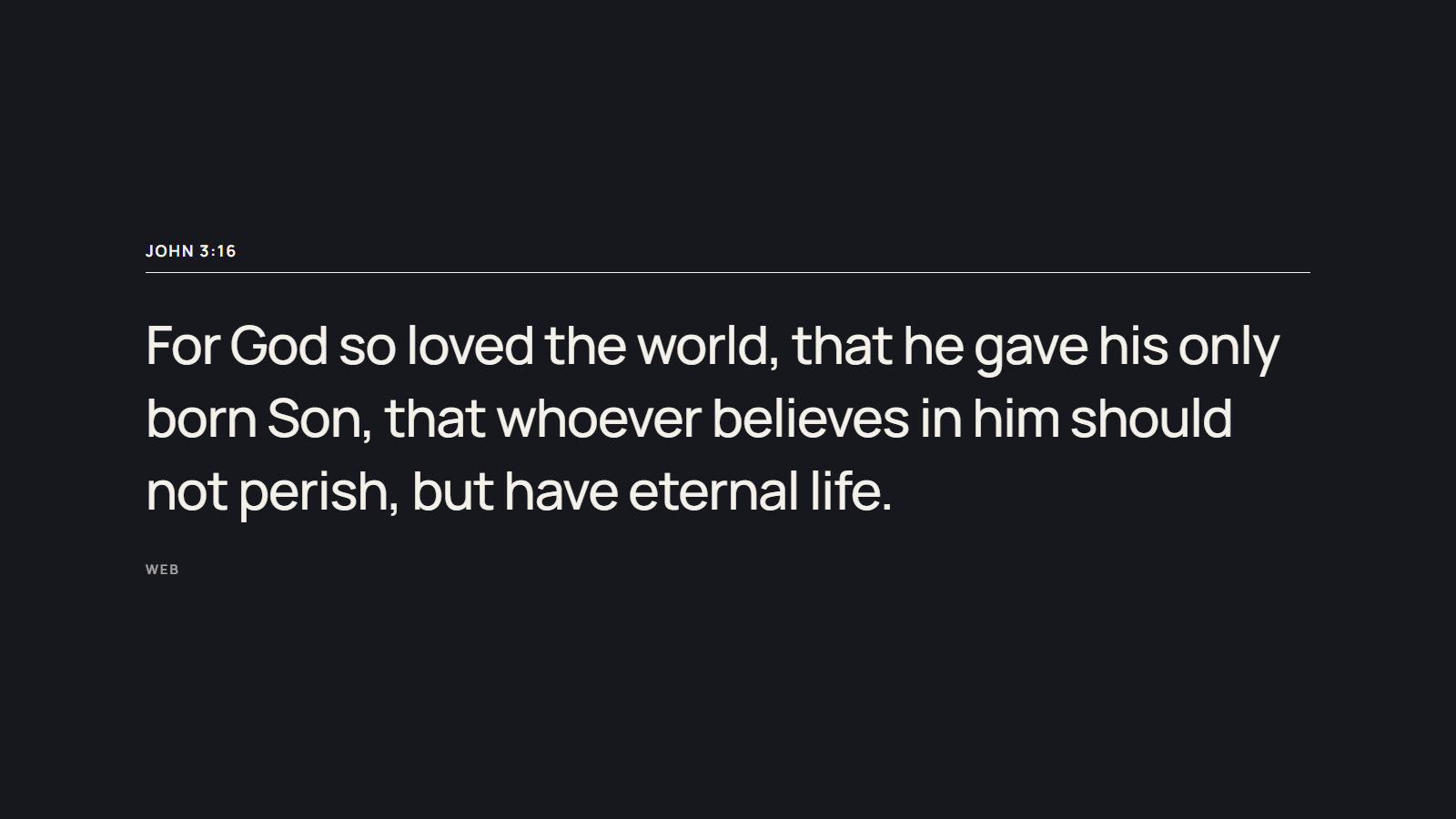
Add lyrics, Scripture or media. Bring your PDF and PowerPoint pages into the same workspace.
Arrange sections, reorder slides and keep reusable songs in Playlists. See the flow before you begin.
Open your output on the presentation screen. Preview the next slide and send it live when you’re ready.
Use Pro on your own, or connect your church. The program team plans in Leader, Tech presents in Pro, and members revisit published content in AxiomU.
Share the agenda, notes and files in a service conversation. Tech receives the context and keeps control of what goes live.
Church Workspace is US$9.99/month per church. Live checkout is being prepared; registering does not start a subscription.
Try the real Axiom editor with a ready-made sample service. Edit a slide, explore a Bible passage and send something to Program.
Try live demo No account. Separate sample data. Your own work stays untouched. Open live demoYes. The standalone desktop presentation app is free and needs no account. Church Workspace is US$9.99 per church per month. Pay securely through Stripe after registering your church. One subscription covers your church team; members do not pay separately. Storage upgrades are not included.
Saved services, local media and included offline Bible editions work without a connection in the desktop app. Standalone includes WEB offline; connected church workspaces add seven editions. KJV lookup needs internet unless you import an authorized Bible file. Shared communication and browser speech services need internet.
PDF and PPTX pages import as image slides. Original PowerPoint animations, editable shapes and embedded media are not preserved. Check imported pages before presenting.
No. It uses a sample service and separate temporary storage for this browser tab. It cannot send church messages or upload team files. Its output channel is also separate from your normal Axiom presentation.
Yes. Connecting a church adds shared services alongside your local work. Switching between Standalone and Shared does not replace saved services or change Program.
Read the product documentation or open an issue on GitHub. Desktop installers are currently unsigned. Mac users can follow the Mac installation guide for Apple’s per-app Open Anyway process.
Download Axiom Pro for Mac or Windows.
Start with the free standalone app.