
Load & rehearse
Import speaker visuals, arrange the slide order and test the actual projector, display and audio setup.
Conferences, community events, panels and ceremonies. Build the on-screen material, order it for the programme and manage Preview and Program from one desktop workspace.
Free standalone desktop app · Windows & macOS
Axiom organises the on-screen presentation. Your event team remains responsible for the overall show schedule and technical production.
Import speaker visuals, arrange the slide order and test the actual projector, display and audio setup.
Select the next page privately while the current slide stays on Program. Send it live at the host’s cue.
Show an intermission slide, return to an agenda, or blackout the presentation output when needed.
Your operator sees the slide list and the next page in Preview. Your audience sees the live Program output. Use the service timer to stay aware of timing.
See Preview & Program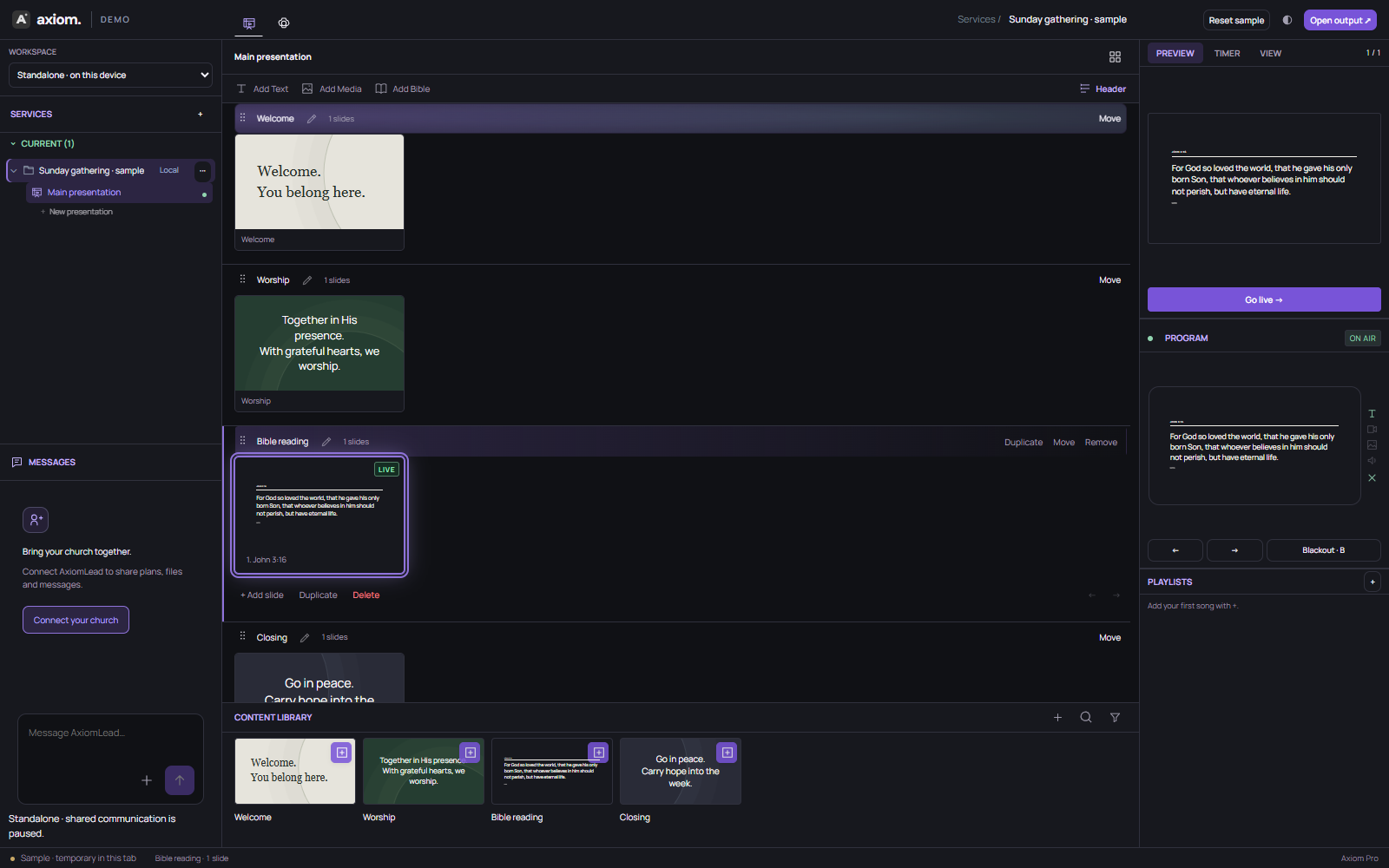
Example schedule for a 90-minute talk-and-panel event. Times are illustrative; enter corresponding visual sections in Axiom.
Presentation pages, slide order, local media, private Preview, live Program and timer controls.
Speaker coordination, microphone mixing, lighting, cue calling, venue scheduling and backup AV plans.
Try Axiom with your event files and displays before the live audience arrives.