
Choose your computer
Download the latest Windows installer or the Mac build for your processor. Open Axiom Pro on the computer you'll present from.
See downloads ↗A straightforward guide to setting up Axiom Pro, preparing content and putting your first slide on screen.
Windows and macOS · Free standalone workflow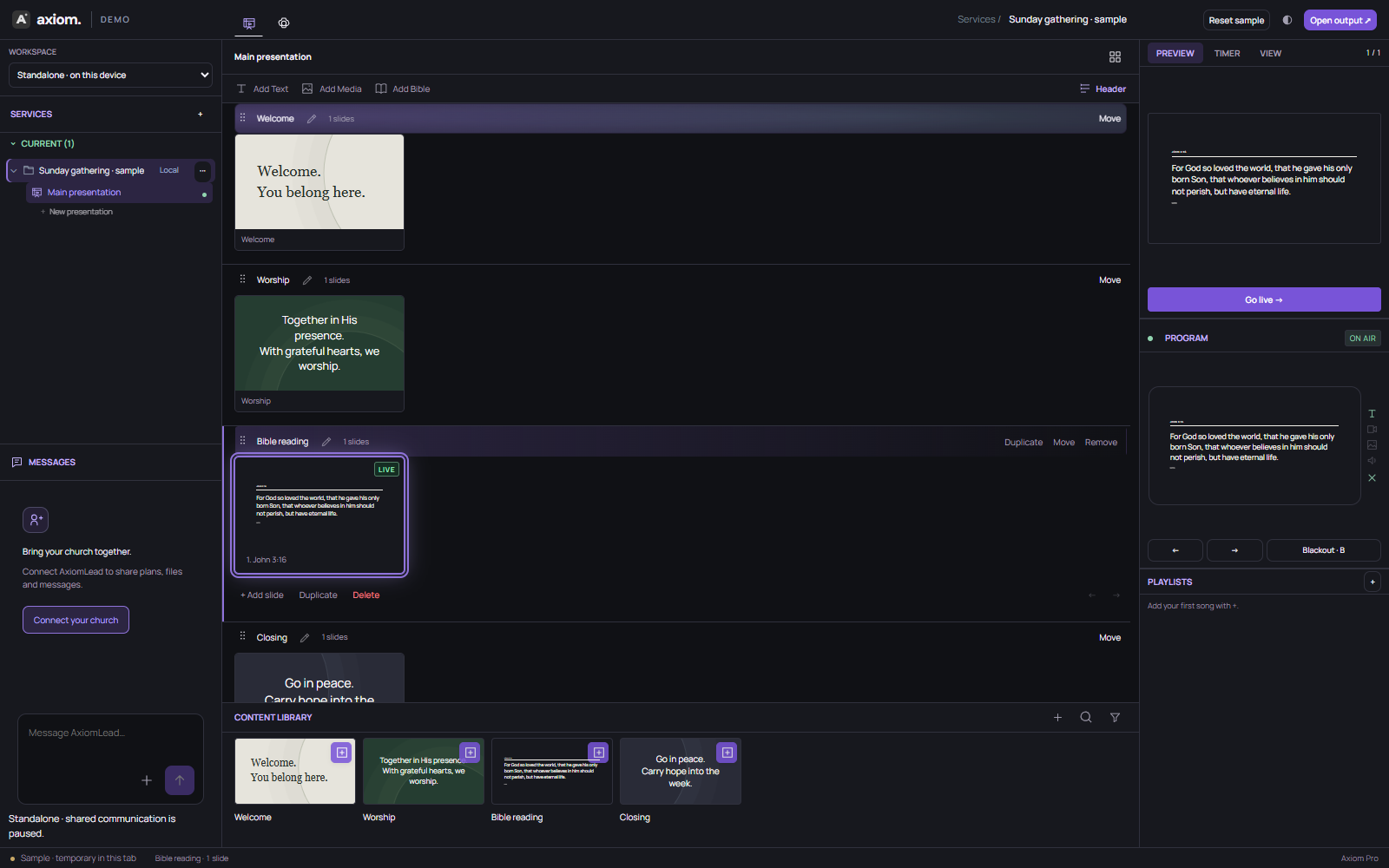
Download the latest Windows installer or the Mac build for your processor. Open Axiom Pro on the computer you'll present from.
See downloads ↗Create slides, add text and media, or import supported PDF and PowerPoint pages. Arrange content in the order you need.
Supported features ↗Connect the projector or external monitor. Make sure the audience output is on the intended display, not your private editor.
Explore Preview & Program ↗Select the next page in Preview, send it to Program and step through your material. Rehearse with your actual equipment first.
Example event workflow ↗Use Preview to check the next slide without changing what the audience sees. When you're ready, send the page to Program.
Practice in the live demo ↗Standalone desktop presentation content is designed for local use. Connected workspace tools need an internet connection.
No. Supported PDF and PPTX pages import as still image slides. Test important files before an event.
Check your operating system's display arrangement and Axiom audience output window. Rehearse the display setup before the event.
Use the Ask Axiom button on this page or email support with your computer type and the issue.
Download the desktop app, build your slides and rehearse the moment.